One check in front of every module
Every request first passes through the CIAS check: is the sign-in credential valid and issued for this system? Under which tenant does the request run, and may that tenant be served? Which roles and attributes apply? Only when everything fits does the request reach the module. Data Management and Reporting work with exactly this result and do not have to derive it themselves.
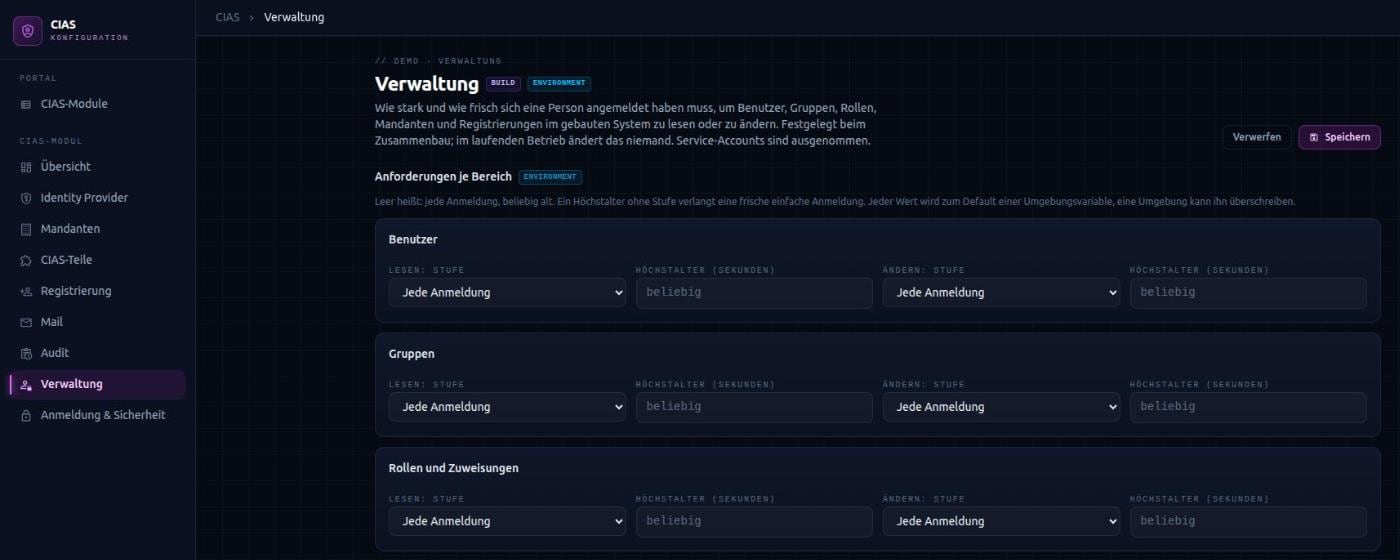
Sign-in levels and maximum age
For most operations it is enough to be signed in. Some require more. For this, CIAS knows three fixed, ordered levels:
- Basic sign-in – by any method your identity provider allows.
- Second factor – in addition to the password, for example a one-time code.
- Phishing-resistant – with a factor bound to the genuine address, such as a passkey or security key.
Step-up instead of starting over
A level can be combined with a maximum age: how long ago may the sign-in have happened at most? If the sign-in is not sufficient, the response states exactly what is missing. The user interface sends the person to the identity provider, which only asks for the missing step. Checks run in a sensible order: first whether someone may perform the operation at all, then whether the sign-in is sufficient. Nobody is sent to a stronger sign-in only to be refused afterwards.
Sign-in levels per administration area
Users, groups, roles and assignments, tenants and registrations are the most sensitive data in a system. For each of these five areas you set a level and a maximum age, separately for reading and changing – for example: only someone who signed in with a second factor within the last five minutes may grant roles.
The requirements are set during assembly in the Hub; an environment can override them. Nobody changes them in the running system, not even through a user interface. Anyone able to lower a requirement could switch off the step-up for exactly the data it is meant to protect. Without a setting, any sign-in is accepted – you tighten where it is needed. Reconciliation reports levels that your identity provider’s sign-in flow cannot reach.
Closed when in doubt
CIAS never guesses when rights are at stake. There is no default tenant, no default administrator role and no default roles for new people. If a setting that decides about rights is missing, the application does not start and names what is missing. An outage gives nobody more rights: what was last known for certain still applies, everything else is refused. Refusals do not reveal from outside whether a person or a tenant exists – operations find the exact reason in the log.