CDMS · Data Management
Data as an explicit model – checked on every access
Data Management is the data foundation of the platform. You describe which data your application knows, how it is connected and who may do what with it. The result is a backend that enforces these rules on every request.
Capabilities at a glance
The module
Data Management
What is in the model applies to every access path – not only where a form happens to check it.
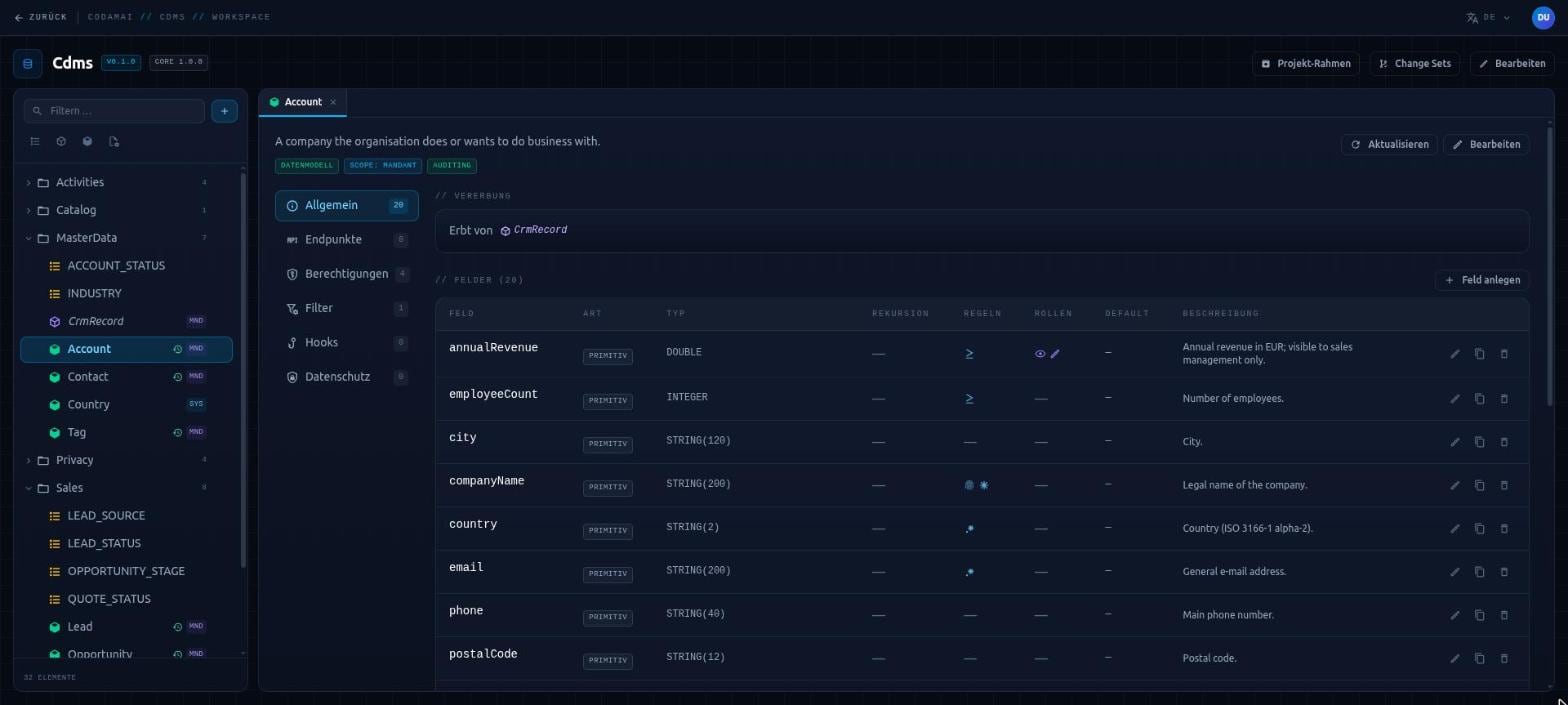
In the Hub you create models such as customer, order or invoice – with fields, enumerations, relationships, rules and permissions. This description is the source: at build time it becomes persistence, interfaces, checks and permissions. What is in the model applies in the application. What is missing from it does not exist.
Every request passes the same stations: who is asking, and for which tenant? May this person perform this action and see this record? Is the content valid? Only when everything checks out is the data saved – before the response goes back. A request succeeds completely or not at all.
Domain logic that cannot be expressed in the model is plugged in at fixed points, without touching generated code. The model can be regenerated at any time, and changes to it – including those proposed by AI tools – follow a checked and approved path.
Capabilities
What Data Management does in detail.
Every capability has its own page, describing what it does in business terms and what it takes care of day to day.
Data models & rules
Describe models, fields, enumerations and inheritance in the Hub – field rules apply on every write, whatever the access path.
Learn moreRelationships
Links between models are maintained on both sides. Related objects are saved in one request – completely or not at all.
Learn moreTenant isolation
A separate database per tenant, the tenant always taken from a signed sign-in credential – multi-tenancy as foundation, not a filter added later.
Learn moreAccess control & filters
Roles per action, protected fields, visibility per record and sign-in levels – defined on the model, enforced on every request.
Learn moreAPIs & queries
Consistent APIs for every model, precise field selection and queries with filters, sorting and paging – across relationships too.
Learn moreFiles
Attachments and documents as part of the data model – same permissions, separate storage per tenant and versions for audited models.
Learn moreHistory & audit
Every state of a record with timestamp and acting person – readable and restorable on purpose, without rewriting history.
Learn moreChange sets
AI tools propose model changes, the Hub presents them as a plan – applied only after human approval, exactly once.
Learn moreWorking together
Working with Identity & Access and Reporting
Data Management does not handle sign-in itself. Every request first passes through Identity & Access (CIAS), which establishes who is asking, for which tenant, and with which roles and profile attributes. Identity & Access also decides whether a tenant is served at all – active and within its validity period – before any data is touched.
In return, Data Management declares its roles, attributes and required sign-in levels to Identity & Access. The roles are then available for assignment there, and Identity & Access checks whether sign-in can actually reach the required levels. What happens to people, tenants and permissions is logged by Identity & Access. What the data looked like is recorded in the Data Management history.
Reporting (CRMS) produces reports from templates. Your application reads the data it needs from Data Management – with the permissions and filters of the requesting person – and passes it to Reporting together with the template. The modules run embedded in one application or as separate services, and behave the same either way.
Other modules
Does CodamAI fit your engineering setup?
The most honest way to find out is a technical conversation: about your stack, your delivery and the requirements you have to evidence.