How a change travels
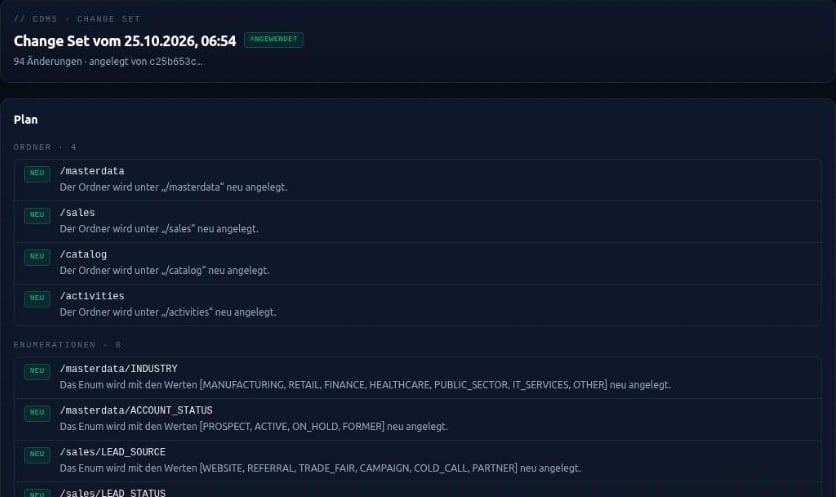
You maintain models by hand in the Hub or let an AI client change them, connected through the Hub’s AI interface. The AI client does not just write away. It describes the desired target state, the Hub checks it and calculates what would change. That plan becomes a change set – exactly what was planned, with no new input.
- Plan: every change in plain language, with warnings.
- Approve: by the person who initiated the change – in the conversation with the AI client or on the change set’s page in the Hub.
- Apply: exactly once, all or nothing.
Nothing disappears quietly
Whatever the AI client leaves out of its description stays unchanged. A different value on an existing element is not taken over but reported as a warning. Renaming, restructuring or deleting existing elements only happens when stated explicitly.
Such changes count as destructive and are listed separately in the plan. A change set with destructive changes can only be approved by someone holding a dedicated role who also confirms exactly these changes. When applying, the Hub checks the role again. The AI client cannot loosen a stored sign-in requirement. And a change set that nobody approves is never applied.
Traceable in the Hub
Every change set has its own page in the Hub. The list shows all change sets of a module with status, number of changes, warnings and destructive parts – including those not mentioned in the conversation. The detail page orders the plan in the sequence in which it will be applied. The log names every step with time, person and route: through the AI client or in the user interface.
Safe when things collide
If the model has changed since planning, nothing is written – the change is planned again. Only one apply runs on a module at a time, and a retry after a dropped connection does not write twice. The AI client is bound by the same permissions as the user interface: a module the person may not see does not exist for it.
Applying changes the model in the Hub. Your application picks it up with the next build through your own pipeline.
What this means day to day
AI speeds up work on the model, the decision stays with people.
- Every model change is backed by plan, approval and log.
- Destructive steps require a deliberate, separate consent.
- Parallel changes do not overwrite each other unnoticed.