Roles per action
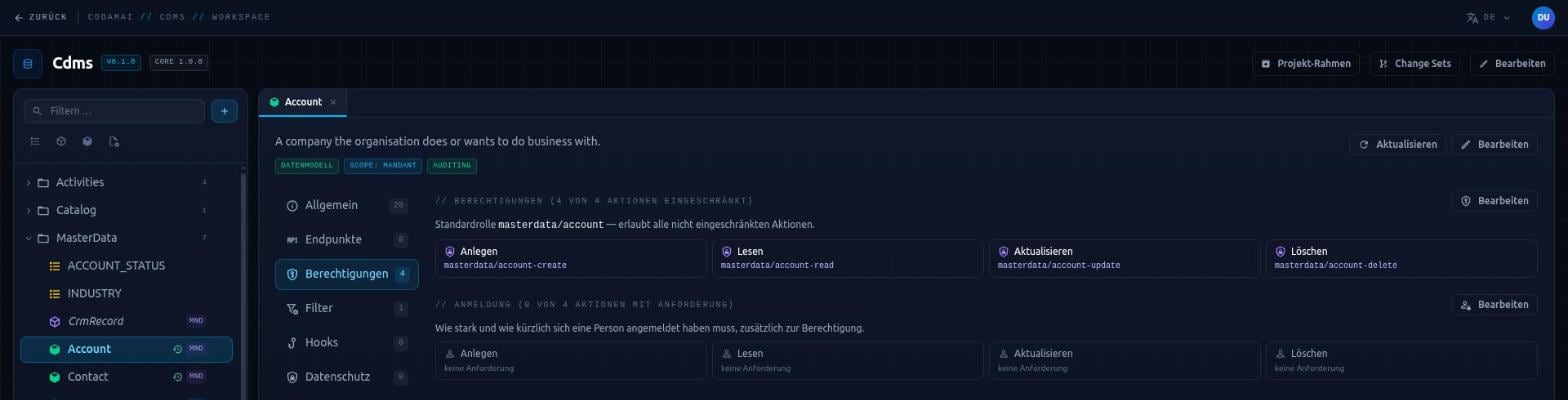
In the Hub you mark which actions of a model – create, read, update, delete – require a dedicated role. You do not name roles by hand: they are derived at build time from a fixed scheme and are then available for assignment in Identity & Access. If a role is missing, Data Management rejects the request and names exactly that role.
Protection for individual fields and relationships
A role on a single field adds protection for one value – such as the salary on an otherwise widely readable payslip. Without the role, a person cannot see the field, cannot change it and can neither filter nor sort by it, because even a search would give the value away. Replacing the record without the field does not erase the hidden value.
On a relationship, a field role instead opens an additional path: notes can then be read through the object they belong to, without making all notes directly searchable.
Visibility per record
Which records a person sees is governed by filters that Data Management attaches to every request. The client neither sees them nor can switch them off.
- Own data: in user-level models every person sees only their own records. No role lifts this, not even for administrators.
- Attribute filter: a value from the person’s profile, such as their sales regions, restricts a field. In the Hub you link attribute and field without code.
- Custom filters: project-specific rules, such as “drafts are visible to the editorial team only”.
Nothing slips through quietly
If such a filter cannot be applied, the request fails rather than returning more. An invisible record behaves exactly like one that does not exist – for updates and deletes too. A response does not even reveal whether other people’s records exist.
Some actions need more than the right role. Per action you set how strongly and how recently a person must have signed in: basic sign-in, second factor or phishing-resistant, for example with a passkey, optionally with a maximum sign-in age. If the sign-in is not enough, the application reports this, and after a new, stronger sign-in the work continues.
Text fields with the “encrypted” rule, such as bank details, are stored encrypted in the database and returned in plain text to people with access. A value altered in the database is detected and not delivered.
What this means day to day
Permissions become part of the model – visible, reviewable and identical for every access path.
- A missing role shows up in the first test: by default Data Management rejects what is not allowed with a clear message instead of silently trimming responses.
- Extra hurdles for sensitive actions without building your own sign-in logic.
- The same query returns to each person exactly the records they may see.