Roles from Identity & Access
Reporting does not manage users or roles. It learns from Identity & Access who is asking, in which tenant and with which roles, and only checks whether the required role is present. Which role is needed for what is set per project:
- writing one’s own, personal templates
- writing the tenant’s templates
- listing, reading and verifying final documents
- setting and releasing a legal hold
- erasing final documents
Everyone sees only their own tenant
A person sees only templates and documents of their own tenant, plus the platform templates. The role is checked before any document is even looked up – so a refusal does not reveal whether the document exists. Platform templates are written by the platform administrators; this does not give them a document role.
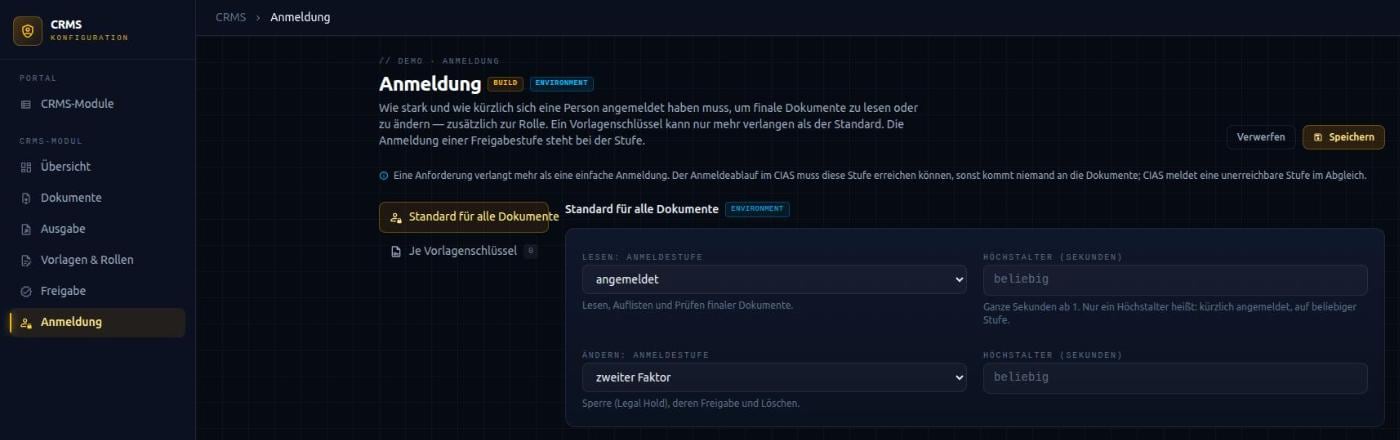
Sign-in level and maximum age
The sign-in level describes how strongly a person has signed in: basic, with a second factor, or with a phishing-resistant method such as a passkey. The maximum age defines how long ago the sign-in may have taken place at most. A maximum age on its own means: sign in again before access, before erasing, for example.
Both can be set separately for reading and for changing. Reading covers listing, reading and verifying; changing covers legal hold and erasure. Technical accounts an application uses to sign in by itself still need the role; they are exempt from the sign-in level because they cannot sign in again.
A default plus stricter document types
A default applies to all final documents. For individual document types, identified by the template name, you can require more – for example that health reports may only be read after a phishing-resistant sign-in within the last two minutes. If several requirements apply, Reporting takes the stricter one. A document type can never lower the default.
If the sign-in is not sufficient, the system asks the person to sign in more strongly or again; the request is then repeated.
Defined when the system is assembled
You define the requirements in the CodamAI Hub. They cannot be changed at runtime – anyone able to lower a requirement could switch the protection off. Reporting reports the required levels to Identity & Access, where it is checked whether the sign-in flow can reach them. This way, no requirement sits in the system that nobody can meet.